Weather control
Pause automatically on rain — for balcony and garden
Weather control fetches the forecast for your location and automatically pauses watering for outdoor zones when it rains. Indoor zones stay untouched — you decide per zone.
You find it in the app under Settings → Weather, and on the device in the weather menu. Requirement: the device is connected to Wi-Fi.
PRIVACY: Weather data comes free of charge from Open-Meteo, without any account. All that is transmitted are the coordinates of your location — without them no forecast can be fetched. No device, plant or consumption data is sent along. You find your location by searching for the place name (the Open-Meteo place search); your location is never determined from your internet connection or your phone. If you prefer, set roughly rounded coordinates by hand instead; that is perfectly enough for a rain forecast.
1Open the weather section
The path differs between app and device — the result is the same.
In the app
Settings → Weather.
On the device
Open Settings and tap "Weather" in the right-hand menu.
2Set the location
On the device tap "Search place", type the place name and pick the right place from the list — region and country code help with identical names. The button then shows the chosen place. In the app type the name into the search field, tap "Search" and pick the place from the list. Alternatively set the coordinates by hand. In the app this section only appears once weather control is switched on (next step).
Tip
The location decides which forecast applies. It is enough if it is roughly right (city or region) — a few kilometers do not matter for rain forecasts.
The device keyboard has no umlauts: type ä as ae, ö as oe, ü as ue and ß as ss — "Koeln" finds Cologne (Köln).
3Enable weather control
Switch the weather toggle on. The device now fetches the forecast regularly by itself.
4What pauses when rain is forecast
The zone alone decides this: if it is marked as "weather-dependent" (next step), it pauses on a rain forecast — whatever mode it runs in.
- Schedule — slots that fall within the 3 hours before the rain are skipped.
- Automatic and AI mode — the zone does not water while rain is due within the next 6 hours. If the rain does not come or the soil gets too dry, it waters anyway (see "How the device protects itself" at the end).
Zones without this mark keep watering normally in any weather.
5Mark zones as weather-dependent
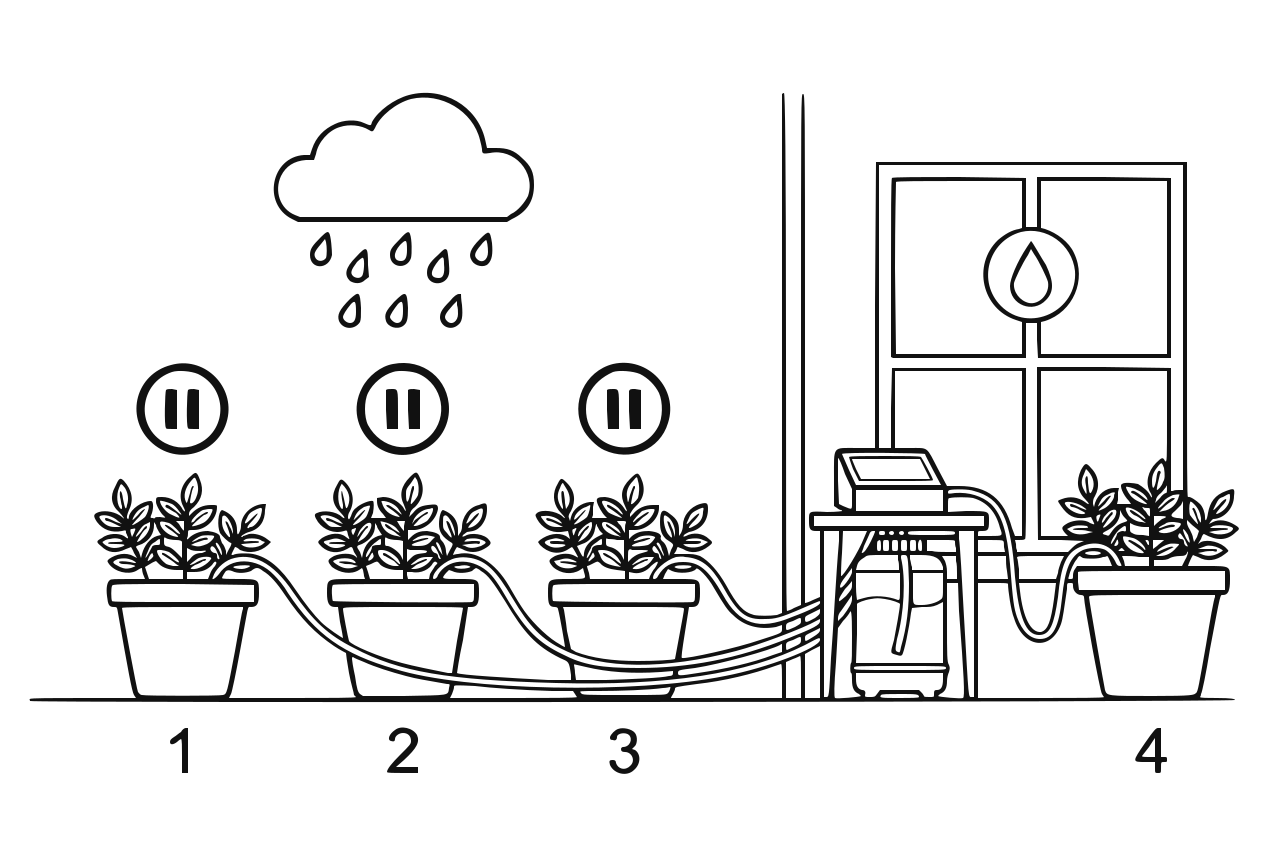
Rain forecast pauses the affected zones Decide per zone whether it should react to weather: enable outdoor zones (balcony, bed, garden), disable indoor zones.
Tip
Only weather-dependent zones pause on rain — all others keep watering normally.
6Done — rain pauses automatically
When rain is reported, the system pauses the marked zones; the header bar on the device then shows "Rain expected". Manual watering remains possible at any time.
HOW THE DEVICE PROTECTS ITSELF
Weather control does not blindly trust the forecast — in Automatic and AI mode, two safeguards prevent a plant from drying out because of a wrong prediction:
- Rain check after 2 hours: at the start of the pause the device remembers each zone's moisture. If it has risen by at most 2% two hours later, it obviously did not rain — the pause is lifted for that zone and watering continues normally.
- Safety floor: if a zone drops clearly below its target range, it is watered despite the rain forecast.
- In the Schedule neither applies: a slot during the pause stays skipped.
On top of that, the pause in Automatic and AI mode only kicks in when rain is actually due within the 6-hour window — not already for a forecast for the day after tomorrow.
GOOD TO KNOW
- You can see current weather and forecast on the app dashboard and the device display.
- Without internet the system simply continues without weather data — nothing breaks.
PAUSING WATERING BY HAND
- For one day: "Pause watering for 24 hours" in the zone detail view (app and device alike). A dialog asks which zones you mean — the current one is preselected. Those zones then skip watering for 24 hours regardless of mode, and everything resumes on its own.
- Indefinitely: switch "Zone active" off — it stays passive until you switch it back on.
- All zones, for longer: maintenance mode (see its own guide) — it pauses everything and additionally freezes statistics and AI learning.
- With a smart-home connection: MQTT offers the same command — it pauses all zones for 24 hours.